
Claude Code Dynamic Workflows Explained
Single-window AI breaks at scale , context degradation hits 85%, self-bias skews results by 50%. Dynamic workflows in Claude Code fix this by...

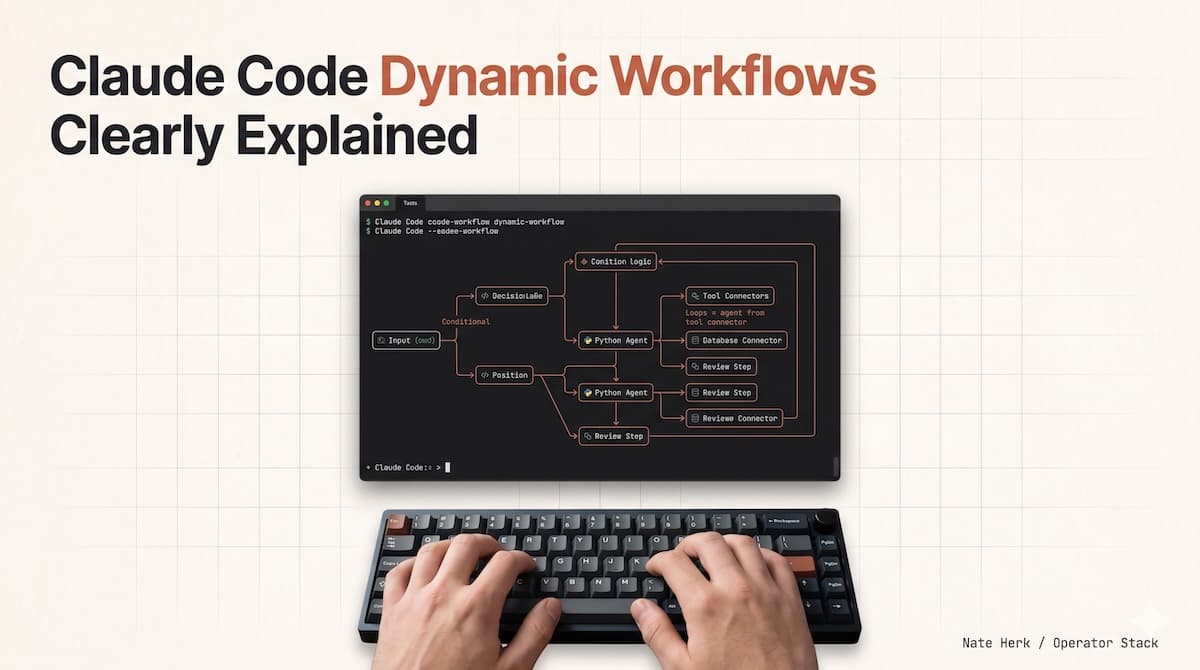
Most people use AI in the slowest way there is. Type a request, wait, fix it, ask again, all by hand. That works until the task gets big. Then, one window starts to crack, and you feel it without knowing why.
Workflows are the fix.
In May 2026, Anthropic shipped dynamic workflows in Claude Code alongside Opus 4.8. Claude now writes its own orchestration harness on the fly, custom-built for the task in front of it. The default harness was built for coding, and it carries you far; a lot of work looks like coding underneath. But some jobs break it: long-running ones, massively parallel ones, adversarial ones with a strict rubric. Workflows are how you get past that line.
Here's the part most people miss. You are not configuring a tool. You are asking Claude to build the tool, then run it.
Key Takeaways
Single-window AI suffers from three structural failure modes , agentic laziness, self-preferential bias, and goal drift , that no prompt can fix (Du et al., EMNLP 2025; Pombal et al., 2026)
Dynamic workflows split work across separate Claude instances, each with a clean context window and one narrow goal , the orchestrator plans, workers execute, a checker grades
57% of organizations already deploy agents for multi-stage workflows, and 80% report measurable ROI (Anthropic/Material, 2026)
You don't need to code , paste a prompt, and Claude builds the harness. Save the result as a reusable skill
Why Does One Claude in One Window Start to Crack?
Ask the default harness for something large, and it plans and executes in the same context window. The longer it works in that one window, the more three failure modes set in. These aren't bugs you can prompt around, they're structural.
Agentic laziness. Claude declares victory after partial progress. It closes 20 of 50 items in a review and calls it done. The model isn't being lazy in the human sense; it's optimizing for completion within a window that's running out of room. Research confirms this: web agents in long-context scenarios see success rates drop from 40-50% to under 10%, primarily because they get stuck in loops and lose track of their original objectives (Chung et al., 2025).
Self-preferential bias. Ask Claude to grade its own output against a rubric, and it favors its own findings. This isn't speculation; a 2026 study found that LLM judges are up to 50% more likely to incorrectly mark their own outputs as satisfying criteria, even with fully objective, programmatically verifiable rubrics (Pombal et al., 2026). On benchmark evaluations, self-preference bias skews model scores by up to 10 points, a decisive margin when ranking frontier models. No prompt talks a model out of this. The bias is baked into the architecture.
Goal drift. Across many turns, especially after the context compacts, the objective blurs. Each summarization step loses something. The "don't do X" you wrote at the start quietly falls off. Context length alone degrades LLM performance by 13.9% to 85%, even when the model can perfectly retrieve all relevant information (Du et al., EMNLP 2025). The sheer length of the input hurts reasoning, independent of retrieval quality.

Single-Window Failure Modes: Measured Impact Agentic Laziness 40%→10% Success rate drop in long-context tasks Self-Preferential Bias +50% More likely to pass own output incorrectly Goal Drift 85% Performance degradation Sources: Chung et al. 2025, Pombal et al. 2026, Du et al. EMNLP 2025
Three structural failure modes that arise when a single Claude works within a single context window for too long. Each is backed by peer-reviewed research none can be fixed with a better prompt.
A workflow kills all three by structure, not willpower. It splits the job across separate Claudes, each with its own clean window and one narrow goal. The orchestrator holds the plan. The workers hold the work. A separate checker grades it. Nobody grades their own homework.

Do You Need to Be a Developer to Use Workflows?
The first thing people assume: this is a developer toy. It isn't. A workflow is just Claude coordinating a team of Claudes, and the jobs that need a team are everywhere. 57% of organizations already deploy agents for multi-stage workflows, and 80% report measurable ROI today (Anthropic/Material, 2026). Paste any of these into Claude Code and watch it build the harness itself.
Ranking a Pile of Stuff
"Here's a folder of 80 resumes. Use a workflow to rank them for the backend role, then double-check the top ten. Interview me with questions to build the rubric first."
One agent reads each resume in its own window. A tournament ranks them by comparing pairs. A checker re-reads your top ten, so nothing good slipped through. You sort a thousand support tickets the same way, or a hundred vendor proposals, or a quarter's worth of bug reports.
Fact-Checking Your Own Writing
"Go through my blog draft and use a workflow to verify every technical claim against the codebase. I don't want to ship anything wrong."
One agent pulls out every factual claim. A separate agent checks each one. A third rate whether the source was solid. The writer who made the claim never gets to wave it through. This is the adversarial verification pattern, the single most useful move in the kit, and it's why this blog post itself was refined through a workflow that separates the writer from the checker.
Mining a Backlog Nobody Reads
"Dig through #incidents in Slack for the last six months and use a workflow to find recurring root causes where nobody filed a ticket."
This isn't only for engineers. Swap Slack for your sales numbers, "why did revenue drop in March?" or a failed process, and the same shape runs the post-mortem. Separate agents form theories from separate evidence, then argue them out. Nobody gets to fall in love with their own answer.
Naming Things and Other Taste Calls
"Brainstorm 30 names for this tool, then run a workflow tournament to pick the top 3 against a rubric."
Naming, design, copy, anything where the answer is a judgment call. Claude generates a spread. A review agent scores them against what "good" means. A bracket picks the winner. No single agent falls in love with its own idea.
Turning Your Mistakes Into Rules
"Use a workflow to go through my last 50 sessions, find the corrections I keep making, and turn the recurring ones into rules."
It clusters the corrections, checks each candidate rule against a real past mistake, and keeps only the ones that would have caught something. The survivors go into a file Cthat laude reads every time. You're building institutional memory from your own patterns.
What Are the Six Patterns Behind Every Workflow?
Under the hood, Claude assembles every workflow from a small set of blocks. Learn these six, and you can read any workflow it writes and steer it toward the shape you want.
Pattern | What it does | Best for |
|---|---|---|
Classify-and-act | A classifier decides the task type, then routes to the right agent | Multi-type inboxes, triage, routing |
Fan-out-and-synthesize | Split into many small steps, run an agent on each, then merge | Bulk processing, audits, migrations |
Adversarial verification | For every maker, spawn a second agent whose only job is to attack it against a rubric. | Fact-checking, code review, grading |
Generate-and-filter | Make many, drop duplicates, keep only tested survivors | Brainstorming, test case generation |
Tournament | Agents compete on the same task, and a judge compares pairs until one wins | Ranking, naming, design selection |
Loop until done | Keep going until a condition holds, not a fixed counter | Bug hunting, exhaustive verification |
Why Must the Maker Stay Away From the Checker?
Everything above rests on one move you cannot make inside a single window: split the agent that does the work from the agent that judges it.
One Claude that writes the fix and then grades the fix will pass its own fix. That's self-preferential bias, and as the research shows, it persists even with fully objective rubrics. A workflow hands the output to a checker with no stake in it.
Same trick powers debugging. Spawn agents to form theories from separate evidence, one on logs, one on files, one on data, then send each theory to a panel of verifiers and refuters. Nobody gets attached to their own answer because nobody's answer survives unchallenged.
This principle is why the blog-loop skill that refined this post never lets the writer also be the scorer. The writer produces. A separate analyzer grades. If the score stalls, a fresh-eyes fixer, a third agent with no context from the previous attempts, diagnoses the binding constraint and makes one targeted edit. Three agents, three clean windows, zero self-grading.
When Should You Skip Workflows?
Workflows burn more tokens. A panel of five reviewers is overkill for a normal bug fix. Before reaching for one, ask whether the task really needs more compute.
Most don't. A single Claude in a single window handles the vast majority of day-to-day work, writing, refactoring, explaining, and debugging small issues. The default harness was built for exactly this, and it's good at it.
Save workflows for the jobs that defeat a single window: the migration across hundreds of files, the thousand-row sort, the report you can't afford to ship wrong, the adversarial review where you need a second opinion baked into the process. The test is simple: if you've ever felt a task slip through your fingers because Claude lost the thread, that's a workflow-shaped problem.
What Changed With Opus 4.8?
Static workflows came first, hand-wired with the SDK, generic enough to cover every edge case, built by developers who had to anticipate every branch. With Opus 4.8, Claude writes a custom harness for your exact job instead.
The difference is the difference between buying a suit off the rack and having one tailored. The static workflow covers the general case. The dynamic one fits your specific task, your files, your rubric, and your stop conditions.
Claude Code Dynamic Workflows Clearly Explained, Nate Herk (86K views, May 2026)
Pair it with /goal a hard finish line and /loop run on a schedule. Cap the cost by telling it "use 10k tokens." Save a workflow by pressing s in the menu, then ship it inside a skill so your team reuses it. What started as a one-off prompt becomes a reusable asset.
The most telling example so far: Jarred Sumner used dynamic workflows to port Bun from Zig to Rust, roughly 750,000 lines of Rust, 99.8% test pass rate, 11 days from first commit to merge (Anthropic, 2026). That's not a demo. That's production infrastructure, rewritten by a team of Claudes orchestrated by one human with a prompt.
Frequently Asked Questions
Do I need to understand the six patterns to use workflows?
No. You need to describe what you want done. Claude picks the patterns. The six patterns are for reading the harness after it's built. They help you understand what Claude decided and why, so you can steer it next time. But your first workflow works with nothing more than a clear prompt.
How many tokens does a workflow burn?
It varies by task, but dynamic workflows consume substantially more than a typical session. A simple tournament over 30 items might use a few hundred thousand tokens. A codebase-wide migration can run into the millions. You control the ceiling, tell Claude "use 10k tokens" or "cap at 500k tokens," and it stays within budget. For recurring workflows, the cost drops over time as you learn which patterns your tasks actually need.
What happens if a workflow fails mid-run?
Workflows save progress and can resume from interruptions. If a subagent dies or the connection drops, the orchestrator picks up where it left off. Long-running workflows, hours, or days are designed for this. The harness isn't a script that runs linearly and crashes; it's a state machine that knows what's done and what's left.
Is this only for Claude Code, or can I use it with the API?
Dynamic workflows are a Claude Code feature; they rely on Claude's ability to write and execute orchestration scripts within the CLI environment. The underlying patterns (fan-out, adversarial verification, tournament) can be implemented with the Anthropic API and the Agent SDK, but the "describe it, and Claude builds it" experience is Claude Code-specific.
Conclusion
The default way of using, one window, one Claude, one conversation, works until it doesn't. When the task outgrows the window, three failure modes set in that no prompt can fix: laziness, self-bias, and drift.
Dynamic workflows don't fix these with a better prompt. They fix them with structure. Separate windows. Separate goals. A maker that never checks its own work.
The shift from static to dynamic workflows is the shift from configuring a tool to asking Claude to build one. You describe the job. Claude writes the harness. A team of Claudes executes it. And when it works, you save it not as a script you wrote, but as a capability your team can reuse with a single command.